
Showing posts with label covers. Show all posts

What to Add to Your Product


Your final resource that you upload to TPT should have the following added to it:
⇛ An amazing cover
⇛ Your quality product
⇛ A Terms of Use (TOU) page
⇛ Your email, blog, and social media contacts with hyperlinks
⇛ Credit for clip art/photos and font artists per their TOU
⇛ Other products you offer (upsell) with hyperlinks

Some people put all of this on one page. I use 3 pages in my products: 1) Terms of Use Page, 2) Contacts/Upsell Page, and 3) Credit Page. I have a page long TOU (just covering my bases), and I use a lot of different artists in most of my products. I always give credit even if it is optional.

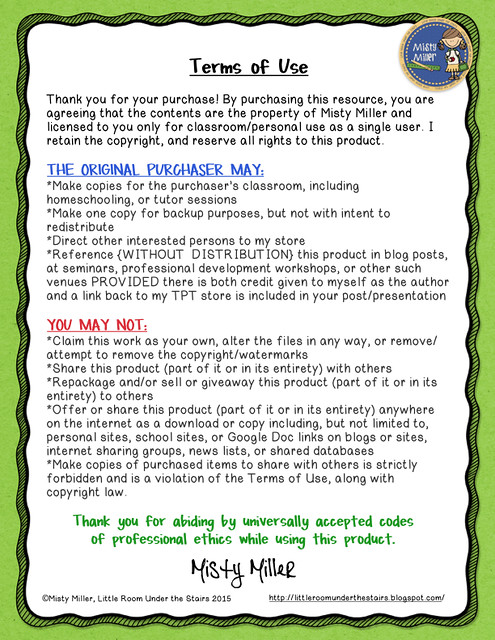
➯ The Terms of Use (TOU) page is highly important to include. We all know teachers are a sharing bunch. Most of us have shared a worksheet or activity in our time. The TOU page tells the buyer that the resource is only for their personal use and is not to be shared including in an on-line space that isn't password protected. I let them know what is okay as the buyer and what is not okay. Here's a copy of mine. I hope you find it useful. Feel free to use it, tweak it, or disregard it. If you are looking at others' TOUs, do not just copy it. Ask the seller first!
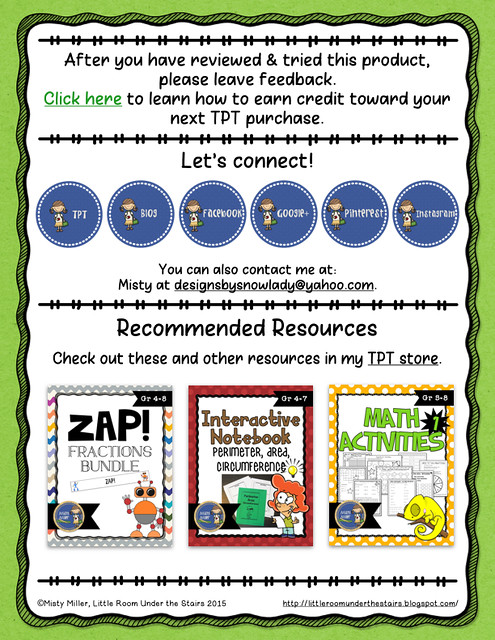
➯ Don't forget to add your contact information - email, blog, Facebook, Pinterest, Instagram, etc. Be sure to hyperlink them so buyers can just click and go. Check all links after securing your product to be sure they are live and headed in the right direction.

Offer other products. What else do you have that the buyer might like? I do 3 products with the cover image and hyperlinked to the product. You can choose however many you would like to do. Here's an example of my contact/upsell page. All images are hyperlinked to the contact or product.
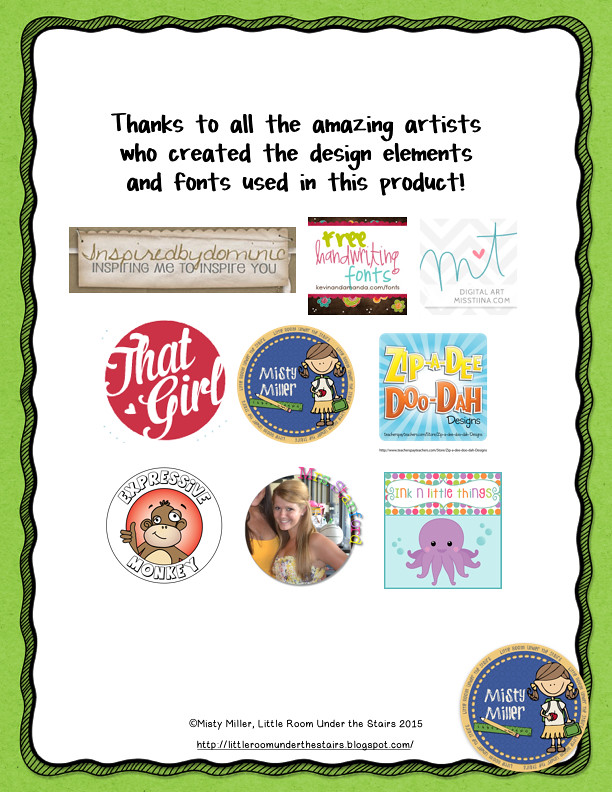
➯ Be sure to give credit to all of the wonderful clip art and font artists. They each will have a Terms of Use. Be sure to read each one and give credit according to their directions. Here's how mine looks. All images are hyperlinked in my product to each person's store.
You can condense this information to 1 or 2 pages but be sure to add it to every product.

Here are my new pages. Please remember that you can use the wording but need to have your own design. Thanks!


Taking a Closer Look at Covers - Video

Hi all! I have a short video of some cover examples - do's and dont's. There are some beautiful covers on TPT. Mine are fine and they're my style. I suggest you look around at different stores, get some ideas, and make covers that are YOUR style. Please don't copy someone else's style - make them you.


I have added the blog to Bloglovin' if you like to find your favorite blog posts there. The button is right above my photo in the sidebar.

Have you joined the newsletter yet? When you join you will receive an email for confirmation. Be sure to click on that confirmation or the system won't add you to the list. If you missed the first newsletter (last Friday), I will be adding the link in this Friday's newsletter. Click below to join!
If you have any questions regarding your store, feel free to leave a comment or shoot me an email at littleroomunderthestairs@gmail.com.

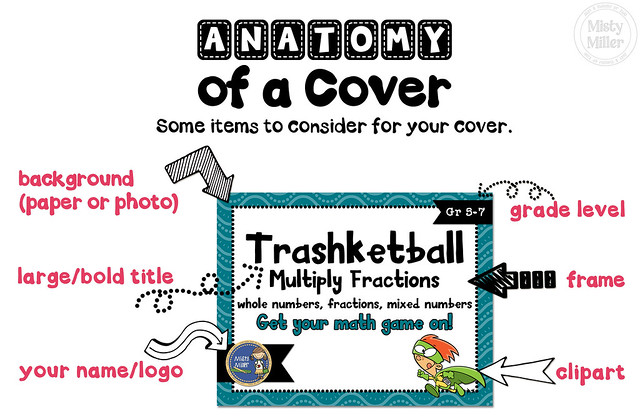
Anatomy of a TPT Cover

**IMPORTANT** - Be sure that whatever you use is for commercial use and you follow the Terms of Use outlined by the artist!!

Once you've selected your size, it's time to build a cover.

Here are some items to consider when creating a cover.

⇒ BACKGROUND
Choose a background paper or photo. You don't want something too distracting to take away from your title.

⇒ FRAME
I like to use a frame with a white background so the title doesn't blend into the paper/photo.


⇒ TITLE
Your title should be large and bold. Your title should be appropriate to your product and stand out. Remember that many people are doing a quick search for something that might be suited to their students' needs, or they are on a mobile device to do their searching. Check it even after you post the product. There are many times I have to go back and redo the cover because what I thought would work cannot be seen clearly. You can use fun fonts just be sure they are readable. TPT has many fabulous font artists. Be sure you purchase a commercial use font for your products.

⇒ CLIPART
If you are using clipart, be sure it is age-appropriate. Think about your audience and what they might be attracted to NOT what you are attracted to. TPT has many fabulous clip artists for a variety of levels.

⇒ BRANDING
Add your logo and/or your name to the cover.

Other Things You Can Add

⇒ GRADE LEVEL
Some sellers add this and some don't. I started adding it to my products about a year ago. This gives the buyer an idea of the level while they are scrolling through search.

⇒ COMMON CORE OR OTHER STATE STANDARDS IDENTIFIER
If you are going to add this information, be sure it meets the standards you are identifying.

⇒ PRODUCT
You might want to add a photo of the product in use. You can also shrink a few pages down and use those on the cover.

Final Thoughts
Add the items that are going to make an attractive cover for your products. Everyone is different, and everyone's covers should look different. I suggest looking at a variety of covers for some ideas. Check different sellers in your area of expertise. Do a search for a topic you offer and see what the covers look like. Can you spot yours? I do not suggest you copy someone else's idea to make your covers exactly like someone else. You want your products to stand out in the sea of TPT products.

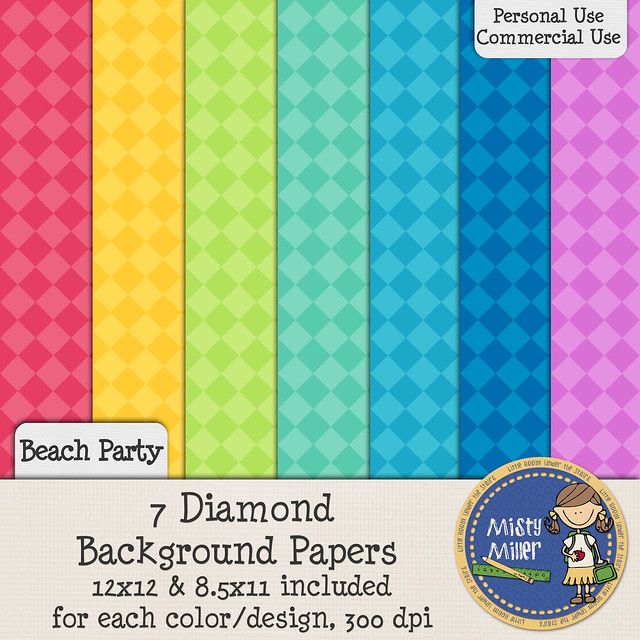
I do have a free set of background papers that can be used on covers. Feel free to download by clicking here or on the image below. The papers are for personal and commercial use, and a Terms of Use (TOU) is included.

Don't forget to join the newsletter email. I sent the first one out this morning. They will have more tips and motivation for you.


Choose a Size for your Cover


Now that you know you need covers for your TPT products, it's time to find out a little more about covers. (If you missed the audio on the need for covers, click here.)

Cover Size Decisions


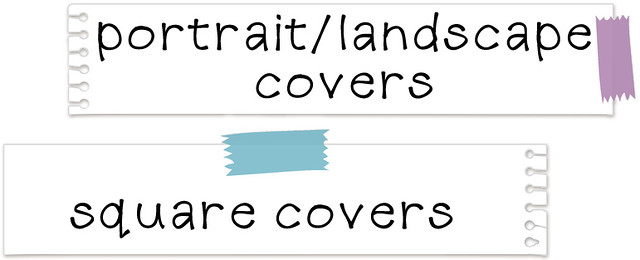
Using a portrait/landscape cover means you can just upload your product and use the generated thumbnails.

Using a square cover gives you more real estate to have a larger title and use the graphics that you want. You do have to upload this & your other thumbnails separately which is not a huge deal.

I started out with portrait/landscape covers. That was when TPT didn't show all of your cover unless it was square. I have finally converted over to a modified square cover. I use my portrait cover and have a strip of black on the side. It works for me. I know a few sellers that do something similar. I don't suggest everyone do that because the point is for YOUR products to stand out in the sea of resources.


Whichever you choose, be consistent. Use the same for all covers.

Make a Decision!
Go take a look at your store and other stores (established and newer).
Do a TPT search for any topic and look at the variety of covers.
Decide on your cover size before you go any further with your products. You will be happy that you did.

Next time we'll be talking about the anatomy of the TPT cover. If you haven't signed up for my newsletter, click the button below. I will be sending out a newsletter with more tips, advice, and motivation starting this Friday. You don't want want to miss out!